How to Share Your Workouts on Social Media | Athletica
September 22, 2026
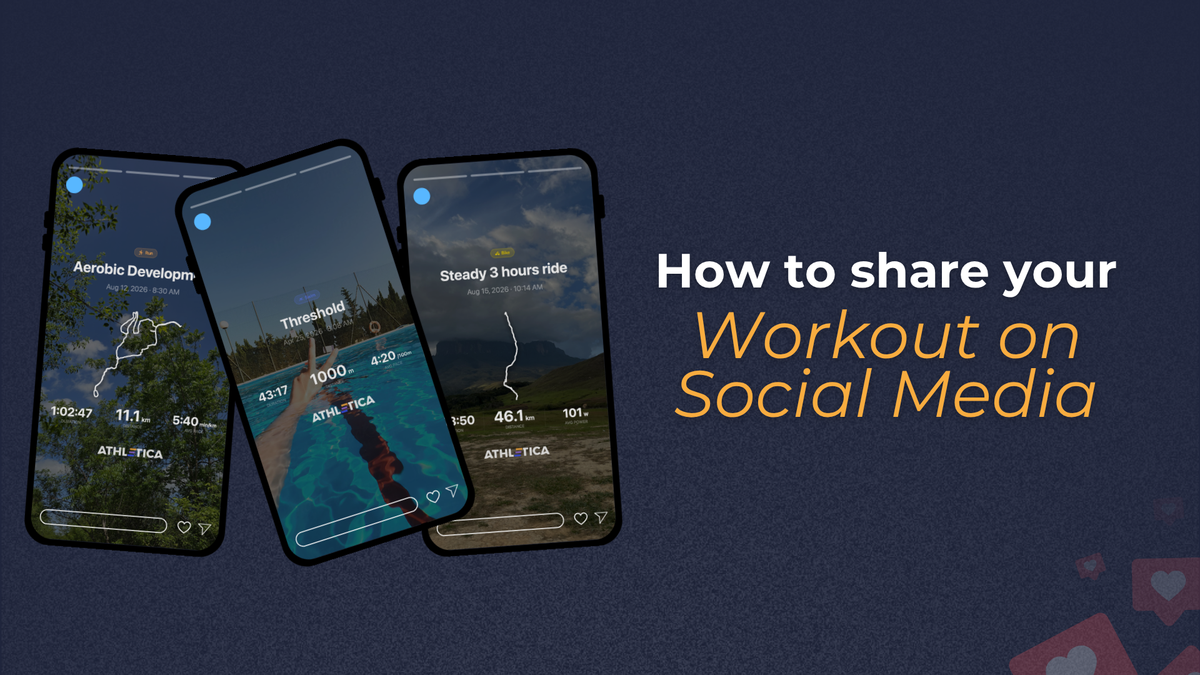
Learn how to share your Athletica workouts on social media. Customize your workout image, add a photo, and post it to Instagram in a few taps.
Every workout tells part of your story.
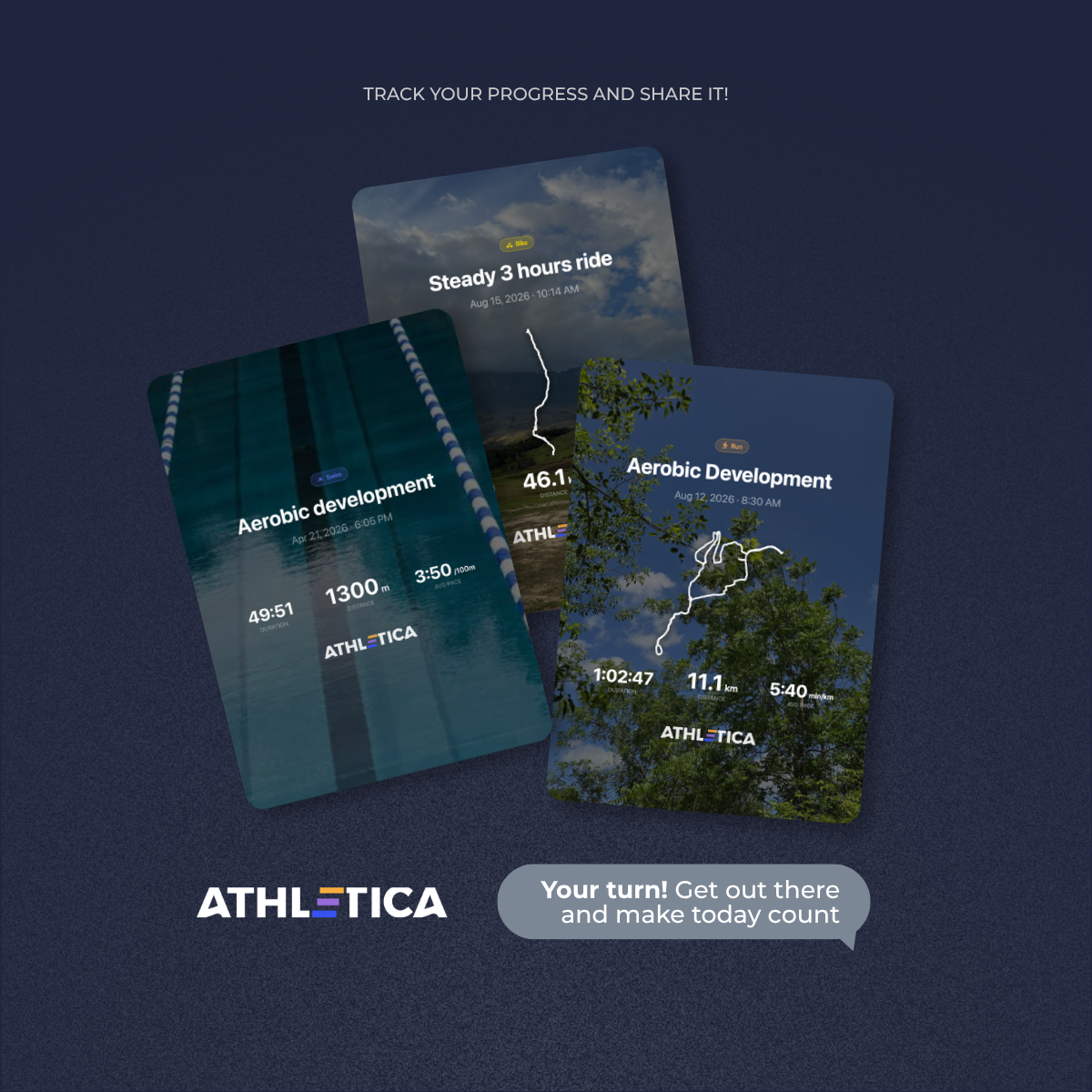
Some sessions bring a new personal best. Others are about staying consistent, pushing through a difficult day, or simply completing what was on the plan. With Athletica’s Social Share feature, you can capture those moments and share them with your community in just a few taps.
You can choose a completed workout, add your own photo, select the right format, and post it directly to social media, all without leaving the Athletica app.
Here’s how it works.
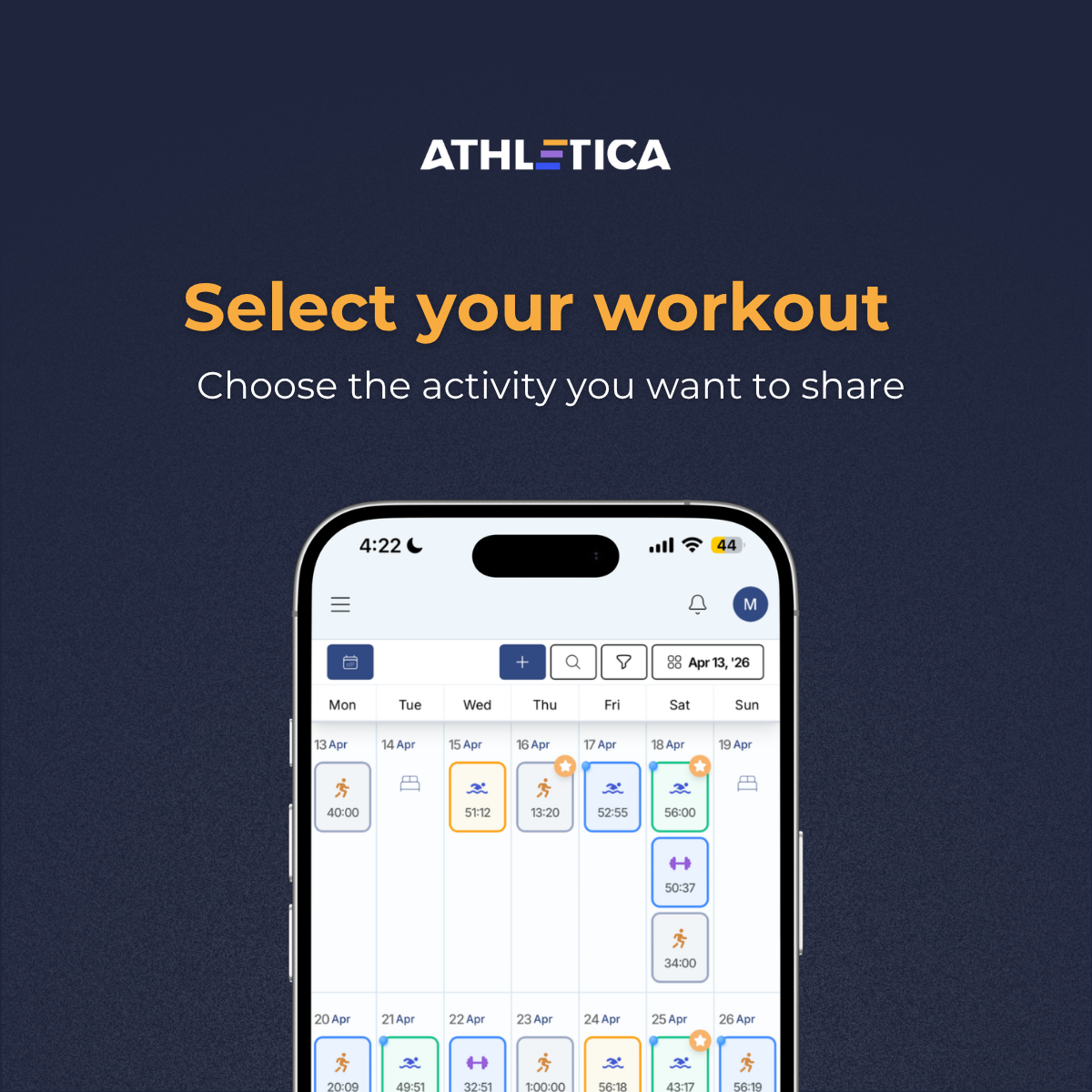
Step 1: Select the workout you want to share
Open your Athletica training calendar and choose the activity you would like to post.
It could be a completed run, ride, swim, strength workout, or any session that represents a moment you want to remember.
Step 1: Select the workout you want to share
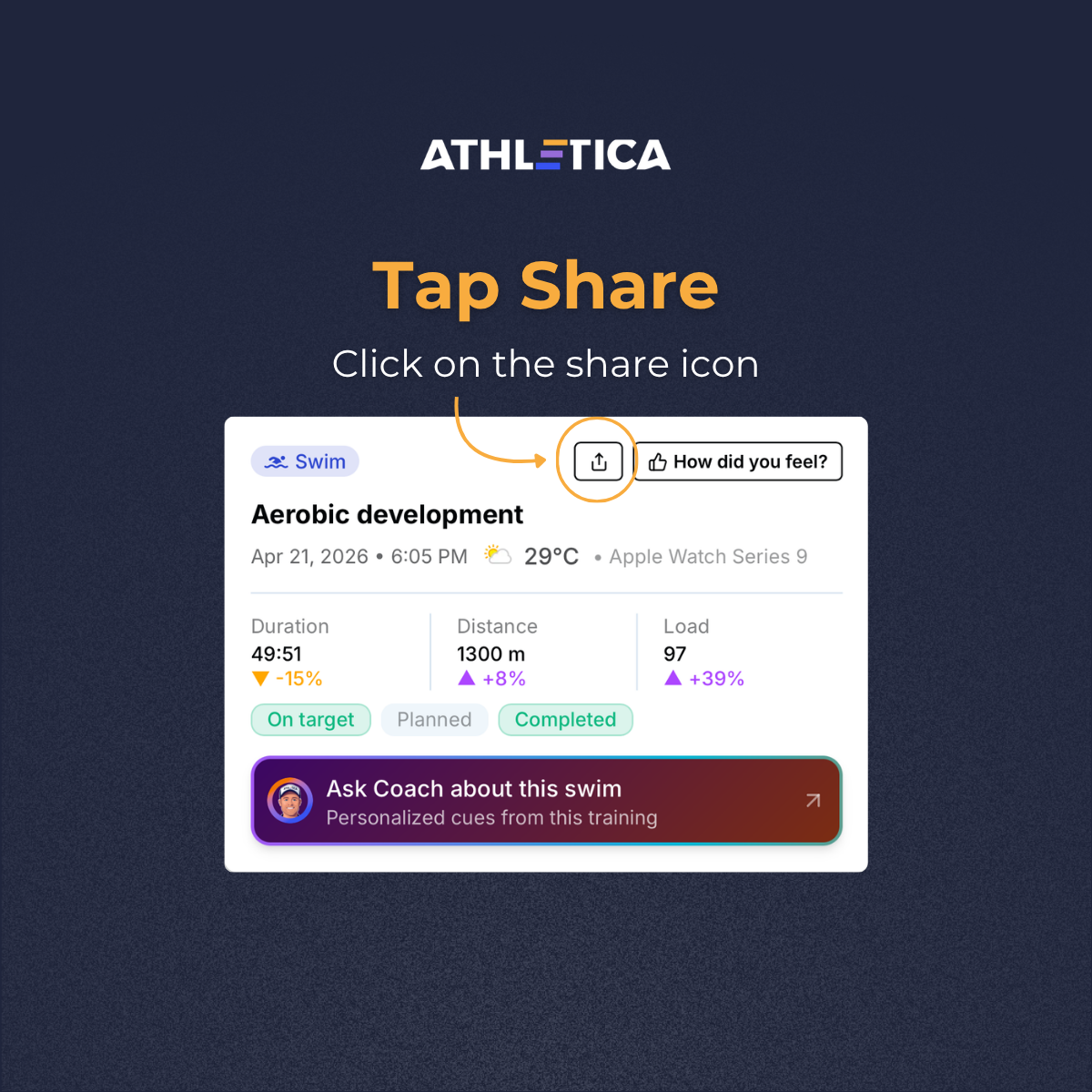
Step 2: Tap the Share icon
Open the workout details and look for the Share icon at the top of the screen.
Tap it to create a social graphic using the information from your session, including details such as duration, distance, pace, heart rate, or training load.
Step 2: Tap the Share icon
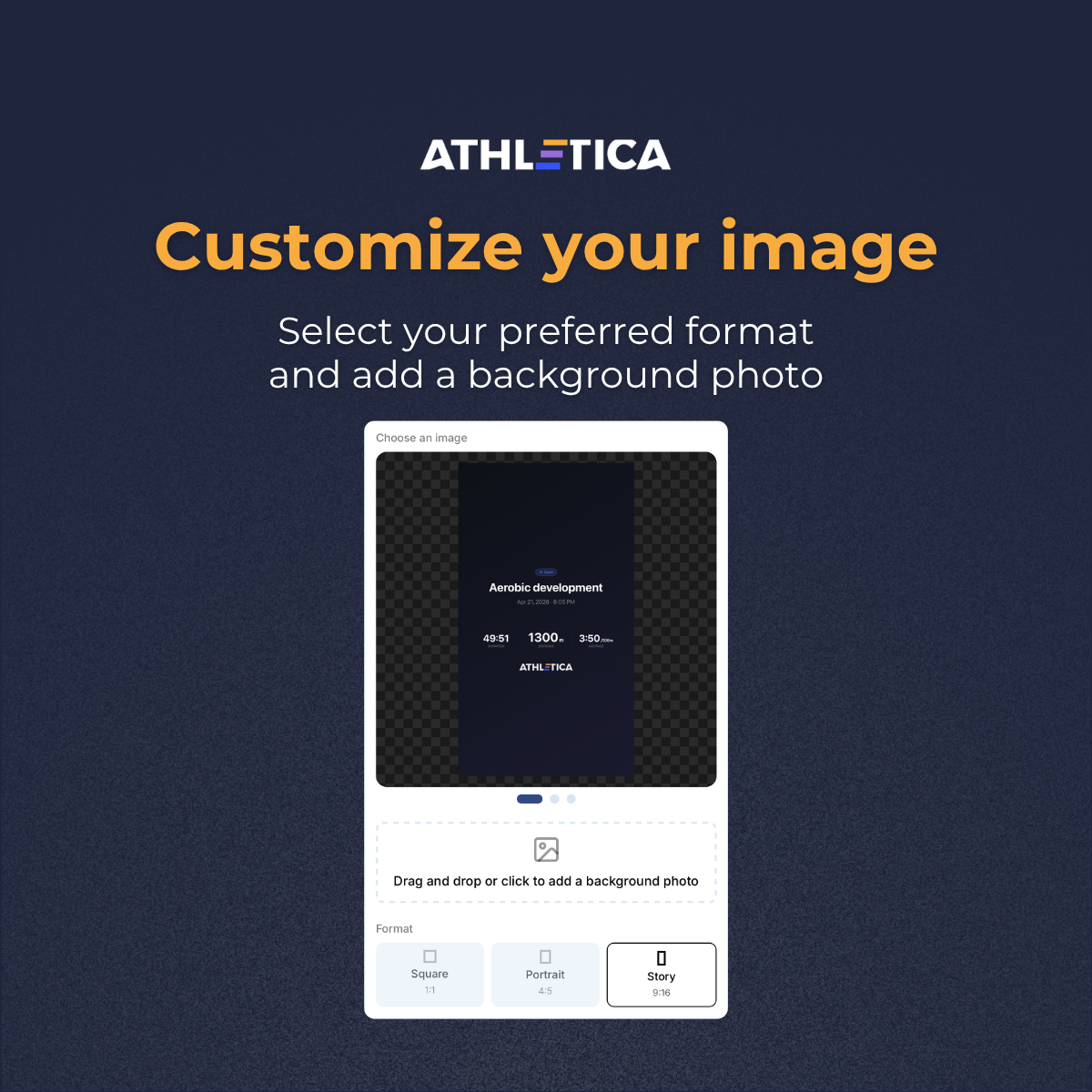
Step 3: Make the image your own
Now it’s time to customize your post.
Choose the format that best fits where you want to share it:
Square for a traditional social media post
Portrait for a taller feed post
Story for Instagram or Facebook Stories
You can also upload a background photo from the workout. Add a race image, a trail view, a post-session selfie, or any photo that helps tell the story behind the numbers.
Step 3: Make the image your own
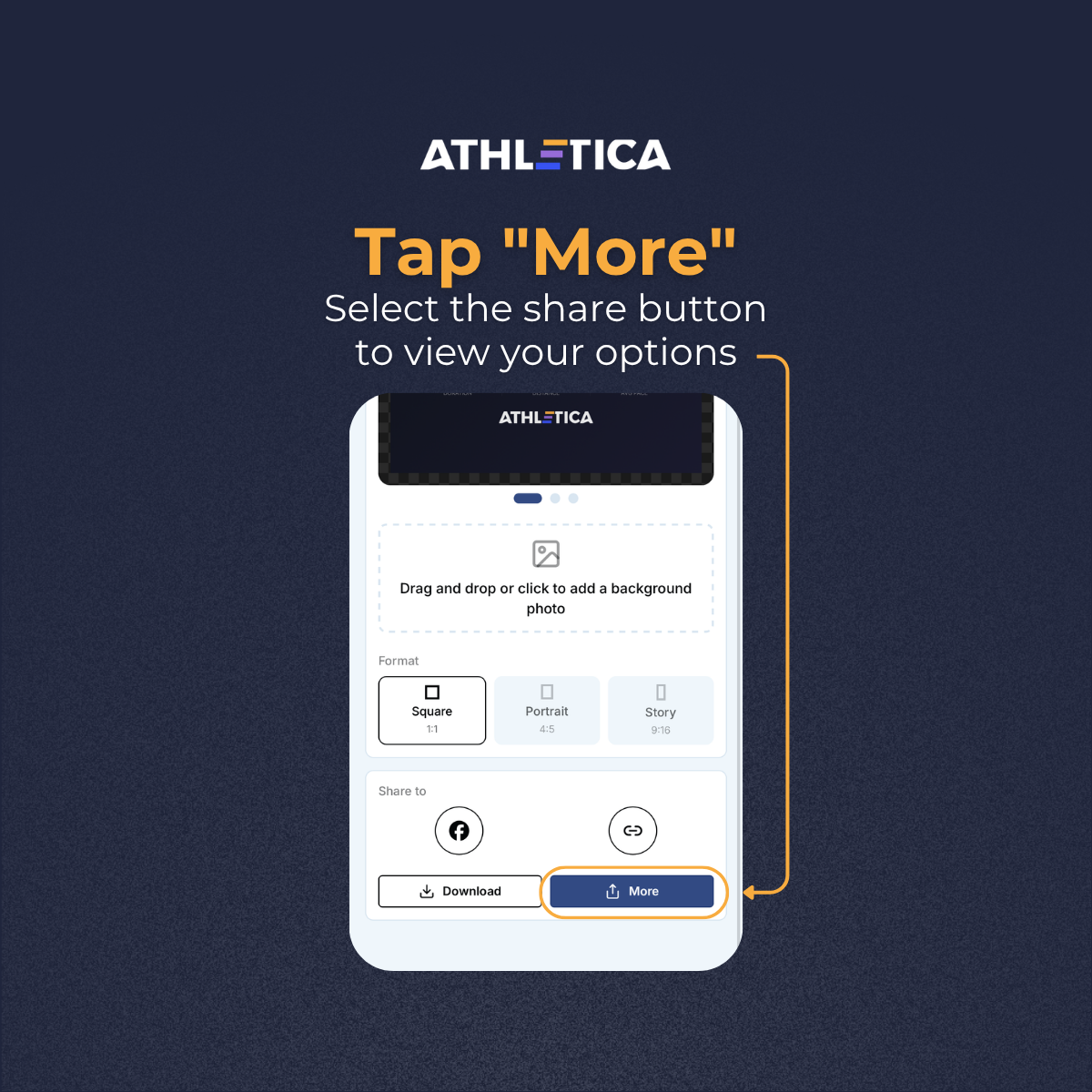
Step 4: Tap “More”
Once you are happy with the design, tap More at the bottom of the screen.
This will open your phone’s sharing options, allowing you to send the graphic directly to a social platform or save it for later.
Step 4: Tap “More”
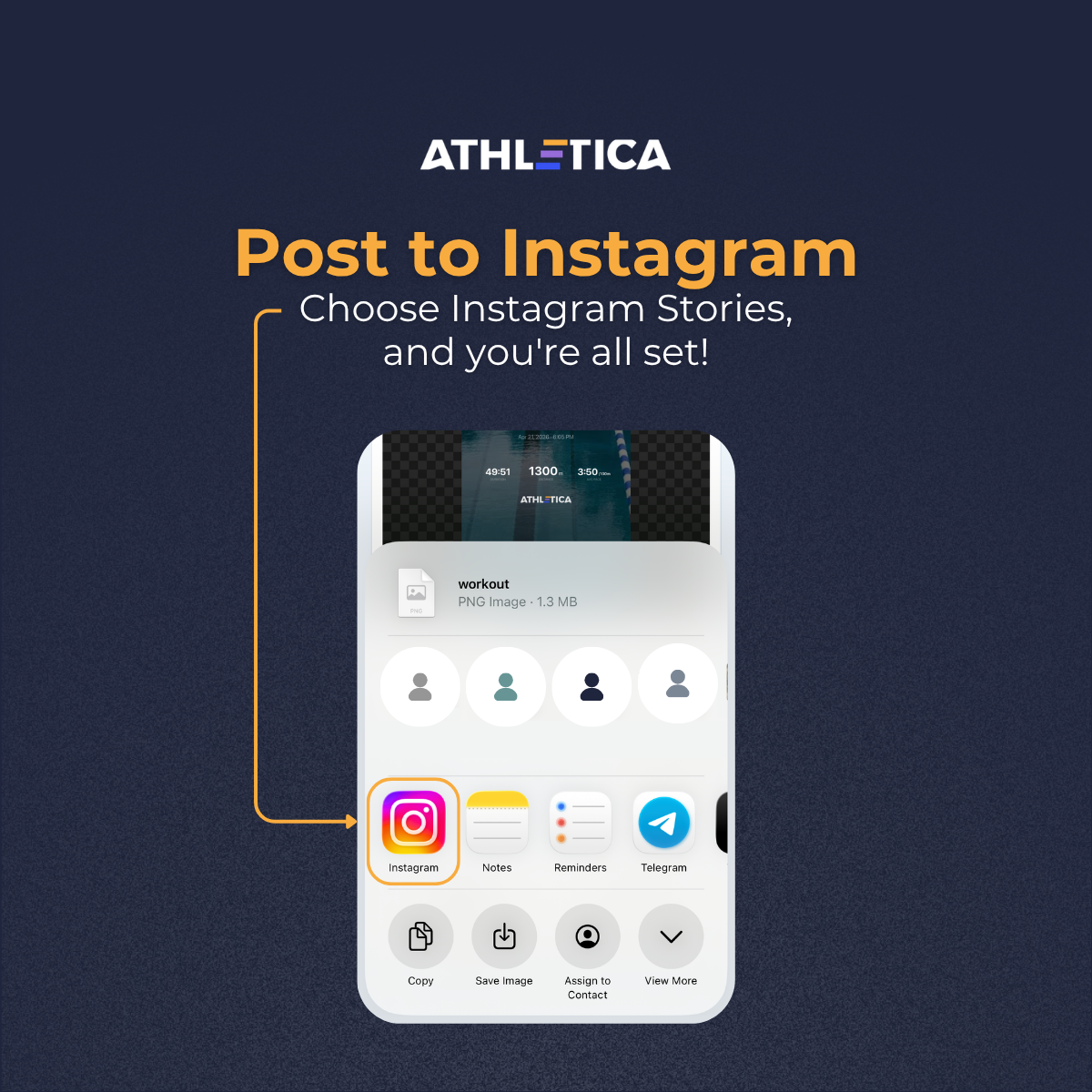
Step 5: Share it on Instagram
Select Instagram from the available apps and choose Stories.
Add any final touches you want, such as a caption, music, stickers, or a location. Then publish your story and let your community see what you’ve been working on.
Don’t forget to tag @athletica_ai so we can celebrate your progress with you.
Step 5: Share it on Instagram
Your Turn
After your next workout, open Athletica and give Social Share a try.
Choose your session, add a photo, select your format, and post it in just a few taps. Whether it was your strongest workout of the week or simply another day of showing up, it deserves a place in your story.